
Apply for an instalment plan for a tax bill directly from the website of Agenzia delle Entrate-Riscossione is now an almost fully automated procedure, especially for debts below certain thresholds.
Here is a hands-on guide to proceed.
- Access the website:
https://www.agenziaentrate.gov.it/portale/
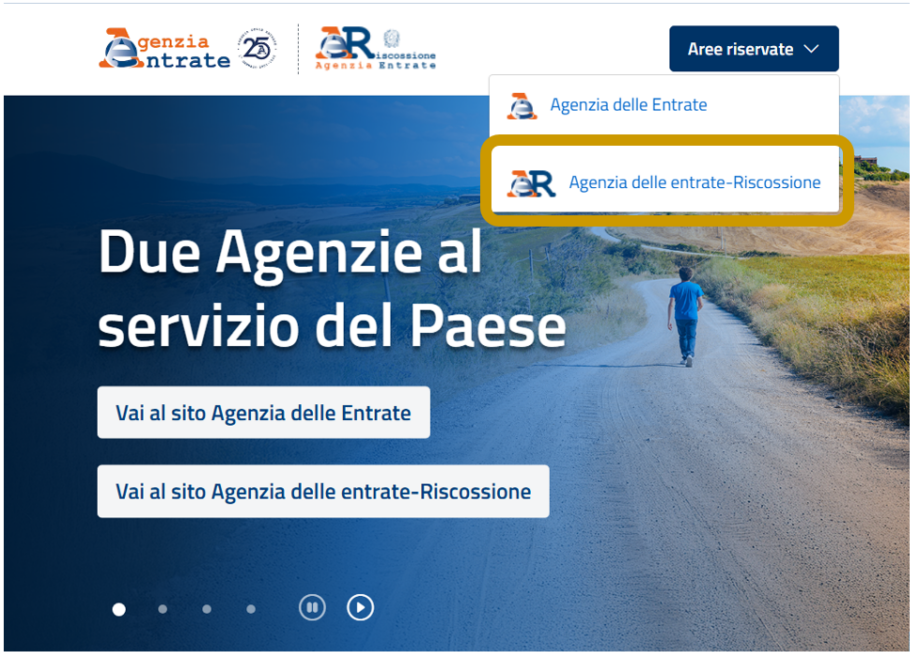
2. Click on Aree Riservate and choose Agenzia delle entrate-Riscossione
3. Choose Cittadini e Imprese
4. Access via SPID, CIE (Electronic Identity Card) or CNS (National Services Card)
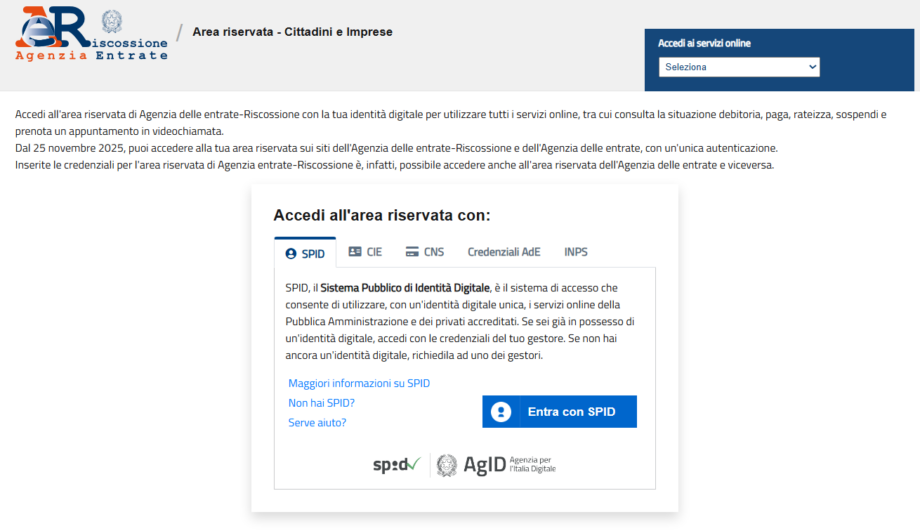
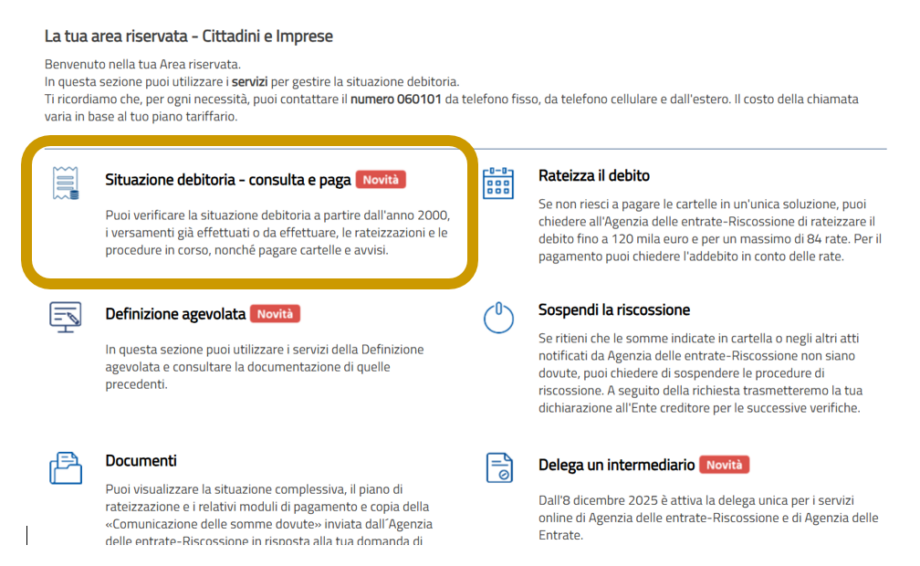
After logging in, the reserved area will be displayed.
5. On this page select Situazione debitoria – consulta e paga:
A list of the taxpayer’s files will be displayed.
6. We recommend filtering “Da pagare“, to display only active ones.
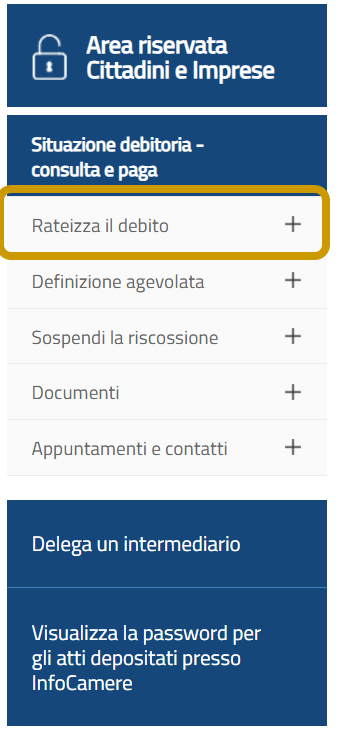
7. In the side menu or in the home of the reserved area, look for the section Rateizza il debito.
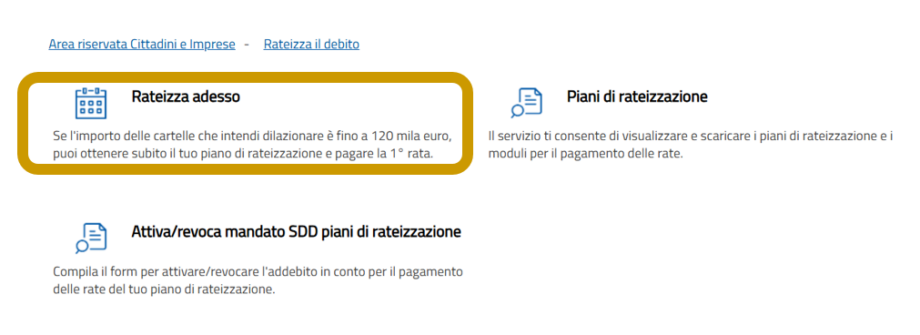
8. Click on “Rateizza adesso” (i.e. prepare a payment plan)
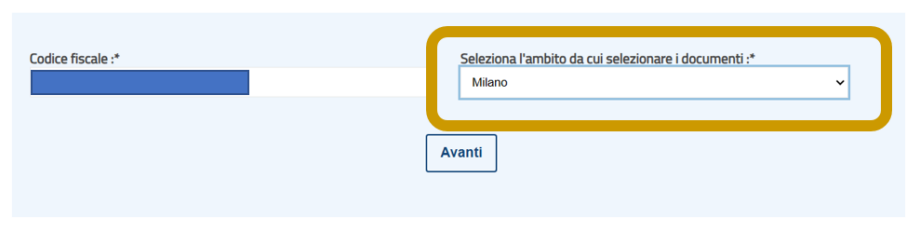
9. Select the Province of interest and click on Avanti
10. On the next screen, check that all master data is correct and click again on “Avanti“.
The system will display the files that can be included in an instalment plan.
If the total debt is less than or equal to €120,000 the procedure is automatic and no ISEE documentation needs to be attached.
At this point, it is necessary to define ‘how’ to pay:
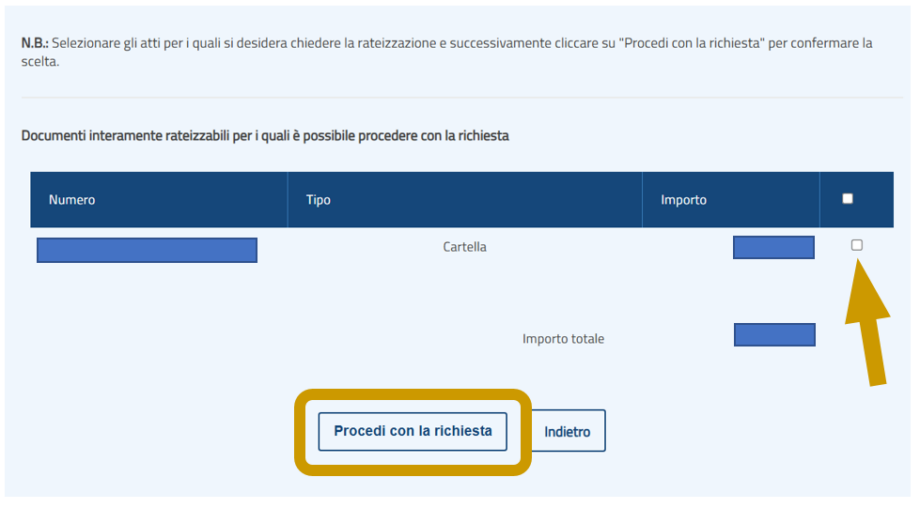
11. Tax bill selection: tick the boxes for the tax bills to be included in the installments’ plan.
12. Number of instalments: choose the desired number of instalments (up to a maximum of 84 instalments for the ordinary plan).
13. Type of instalments: choose constant or variable (increasing) instalments.
14. Domiciliation: Select whether you want to pay via payment forms or activate direct debiting to your current account (SEPA direct billing mandate).
15. Check the plan summary (instalment amount, deferment interest and due dates).
16. Declare that you are in a temporary situation of objective economic difficulty (one click for debts under 120k), where that is the case.
17. Finalize the request by clicking on “Invia richiesta.“
If the procedure is successful, the system immediately generates the acceptance letter and the first payment forms.
You can also find the payment plan in the section “Comunicazioni” or directly in the instalment area.